

How to Transfer Soft Mozart to Another Computer
Step 1 – On the OLD Computer
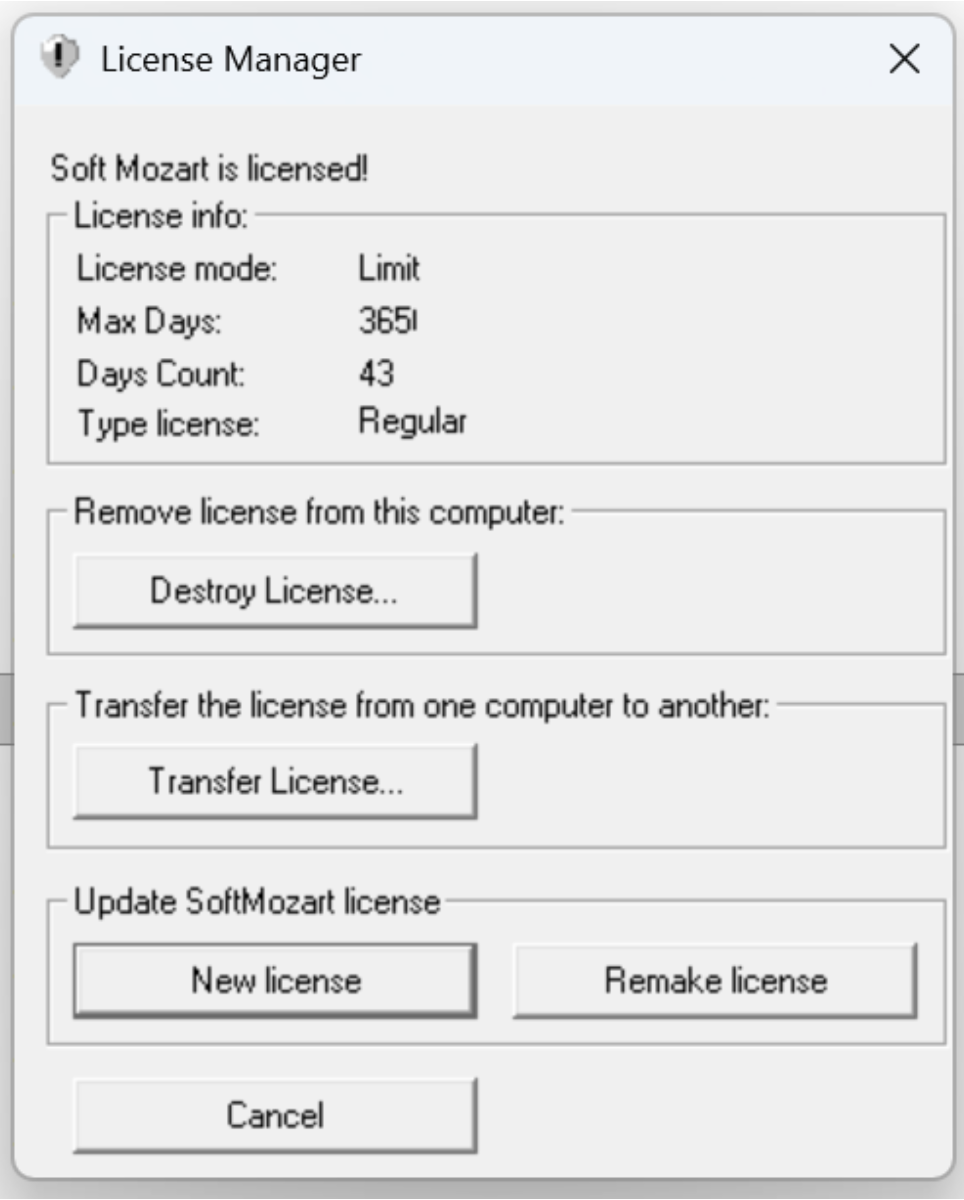
Open License Manager.
Click Transfer License… under
“Transfer the license from one computer to another.”
A transfer window will appear.
Step 2 – On the NEW Computer
Install Soft Mozart.
Open any module.
Copy the long Registration ID displayed.
Step 3 – Back to the OLD Computer
Paste the Registration ID from the new computer into the transfer window.
Click Transfer.
The program will generate an Activation Key.
Step 4 – Activate on the NEW Computer
Enter the generated Activation Key on the new computer.
The license will be transferred successfully.
Read More...